| ||||||||||||||||||
|
Flexmls Slowness – Friday, April 20 – 4:30pm FBS identified an issue on that was causing slowness on flexmls have taken action to resolve it. They will continue to monitor the situation.
| ||||||||||||||||||
|
In Memoriam: Marilyn Witherup Read full obituary: http://www.legacy.com/obituaries/dispatch/obituary.aspx?n=marilyn-witherup&pid=188778712&fhid=8712
| ||||||||||||||||||
|
LAST CALL: Mandatory DisplayKey Exchange – Thursday, April 19 Final chance to exchange your DisplayKey is Thursday, April 19, 2018. All DisplayKey users are required to exchange their key to the new XpressKey no later than Thursday, April 19 between 9a-4p at the Makoy Center (5462 Center Street, Hilliard, OH 43026). There is no cost for this. Schedule. More info. You may attend anytime on Thursday, even if it falls outside the appointment time for which you originally scheduled. Note: This does not apply to eKey users (members using their phone or tablet as their lockbox key).
| ||||||||||||||||||
|
Do not give your MLS password to a vendor, virtual assistant…or anyone else. Providing your MLS password to anyone is a violation of MLS policy. MLS Policy specifically forbids providing your password to any other user. There is NOT an exception for vendors or virtual assistant. Do not provide your password to vendor or virtual assistant provider who will then log in as you to run searches or reports in the MLS. This is subject to a $500 fine. No one is permitted to access the MLS with your login information except you. In addition to vendors, no one else is permitted to login as you either. Other agents, members of your team, assistants and all other users must have their own login. They must login as themselves, then “superuse” (do business) as you. Family members, friends, and clients should never be given your MLS login credentials. Password sharing for any purpose is not permitted. ACTUAL MLS POLICY: 1.04.06 – Providing Login Name/Password to Non-Member
Fine with No Warning
$500, $1000, $2000
Your login name and password is highly confidential and is not to be shared with other agents, unauthorized technology
vendors or customers or clients. Your login name and password shall not be shared, disclosed or knowingly allowed to
come into the possession of any other person except your broker, manager and/or office administrator in your real estate
company.
| ||||||||||||||||||
|
Craigslist rental scams on the rise again! In the past couple of weeks, we’ve had three members contact us about their listings being fraudulently placed on Craigslist as rental properties. This is just a reminder to search your listing addresses regularly to ensure that your listing seller information and your information are not being used fraudulently. For more information on how to deal with rental scams, click here.
| ||||||||||||||||||
|
Does your potential client have an arrest record? A female agent reported today that she talked with a suspicious caller asking about an $800,000 listing through a Zillow lead. She described the conversation as bizarre. When she suggested he talk with a lender, he hung up on her. She found an arrest record through an internet search. Details he provided were that this was his first home, he was 31 years old, lives in Pensacola FL, travels a lot for work and does consulting work. Keep in mind, these details could change during the next phone call. Bottom line – please research potential clients, never meet a new person alone, and trust your gut! https://columbusrealtors.com/alerts/default.aspx
| ||||||||||||||||||
|
Realist Downtime: System Maintenance – Saturday, April 14 – 11pm CoreLogic will be performing system maintenance the evening of Saturday, April 14, 2018 during the designated maintenance window from 11:00 PM to 3:00 AM the following morning. Realist may be intermittently unavailable during this maintenance period.
| ||||||||||||||||||
|
New MLS Field: Green Features Y/N – Form Required A new field, “Green Features Y/N – Form Required” has been added to the Residential property type. Because the field is brand new, it will take some time for the new field to be fully populated. Agents will be required to make a Yes or No selection in the Green Features Y/N field for all new listings. Existing listings will require a selection in the field the first time the listing is edited. If Yes is selected, then the Green Features Checklist form is required to be completed and attached as a PDF to the listing on the MLS. This Green Features Checklist can be used to detail the green features present on a Residential property. Items on the form include Energy/Green Certifications and Energy and Water Efficient Features. The Green Features Y/N field allows agents to search specifically for listings that have “green/energy efficient features” of some type. After searching, they can then review the attached form to see all green features present on that property. It is highly recommended that you immediately update your listing for this new field particularly if your listed property has energy efficient green features. Simply edit your listing and look for the new, required Green Features Y/N field. Do not forget to fill out and upload the complete Green Features Checklist to your listing as an attachment. Download the Green Features Checklist from www.ColumbusRealtors.com > Tools > Worksheets, Forms and Contracts page by clicking here.
| ||||||||||||||||||
|
Avoiding MLS Fines: Non-Reported Closings (Solds) There is a warning prior to receiving a fine for this violation. MLS Policy requires that the listing’s status be changed to “Closed” within 72 hours. Listings are required to be marked Closed on MLS: Sold date is Thursday = Listing must be closed on Monday Actual full text of the policy: All sales closed must be entered within 72 hours from the actual closing/funding date except if the 72-hour deadline falls on weekends and federal holidays whereby the closing information is to be entered the following business day except HUD listings that are to be updated within 72 hours of either (1) Asset Manager’s notice of closing or (2) the county auditor or Realist published sale information for the property.
| ||||||||||||||||||
|
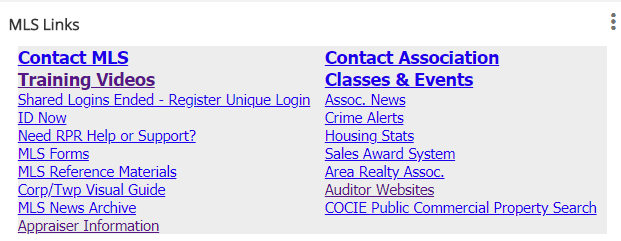
New MLS Training Videos Available Several new MLS training videos specific to the Columbus MLS have been added. These videos are in addition to the full length class videos and others that were already available. To access the “Specific to Columbus” videos, log in to Flexmls and click the Training Videos link in the MLS Links gadget.
New videos include:
|