| ||||||||||
|
Columbus Realtors Staff Training Week Staff is attending training for the new membership system June 14-18, 2021. Not all staff will be unavailable at all times. There will be slower response time by email and telephone due to this training schedule. Please plan to leave a message when you call. Staff will return your call when they are not in training. There will be an auto-attendant (robot) answering calls while front desk staff is not available to pick up live. To reach someone using the auto-attendant, please use the key pad to spell the first three letters of the first or last name of the person you are trying to reach and then press the pound sign.
| ||||||||||
|
Online Dues Payment unavailable starting 12pm Friday, June 11, 2021 Due to a conversion to a new membership system, the online dues payment system will be offline until Tuesday, June 15th. Dues can still be paid by telephone. To pay dues during the conversion: (614) 475-4000 For Keybox questions: (614) 475-4000
| ||||||||||
|
In Memoriam: Bonny Heger Please see the below links Columbus REALTORS In Memoriam – Columbus Realtors Columbus Dispatch Bonny Heger Obituary (1942 – 2021) – Olmstead Township, OH – The Columbus Dispatch (legacy.com)
| ||||||||||
|
In Memoriam: Tommy P. Piolata Please see the below links. In Memoriam page In Memoriam – Columbus Realtors Schoedinger NW Tommy P. Piolata Obituary – Visitation & Funeral Information (schoedinger.com)
| ||||||||||
|
In Memoriam: Jeremy Thomas Letzelter Please see the below links. Obituary for Jeremy Thomas Letzelter | Shaw – Davis Funeral Homes CR In Memoriam page In Memoriam – Columbus Realtors
| ||||||||||
|
All COMMERCIAL FORMS on Dotloop will be refreshed on June 1, 2021. Duplicate, misnamed, and out-of-date forms will be removed and up-to-date forms will be added. This may impact your brokerage/personal templates! If you use Dotloop templates, on or after June 1 please upload refreshed forms DIRECTLY from the Dotloop website (NOT from a broker’s/firm’s template). Once directly uploaded, your forms will auto-update whenever revised. Questions? Call Dotloop at (513) 257-0552, or Janet Pareja at (614) 475-4000 ext. 228 jpareja@columbusrealtors.com
| ||||||||||
|
MLS Tip: 96 Hours to Enter Sold Listing in MLS Closed listings must be entered into the MLS within 96 hours from the actual closing and funding date. HUD listings are to be updated within 96 hours of either: 1) Asset Manager’s notice of closing Please ensure that your closed listings are entered before this deadline to avoid any warnings or fines.
| ||||||||||
|
In Memoriam: Jack Stropes Please see the following link. Jack Stropes Obituary – Visitation & Funeral Information (rutherfordfuneralhomes.com)
| ||||||||||
|
In Memoriam: Mark N. DeLaughder Please see the below link. Mark N Delaughder Obituary (1955 – 2021) | Columbus, Ohio (echovita.com)
| ||||||||||
|
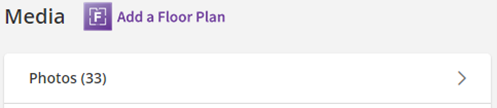
MLS Video Minute – 1 – Private Photos Have you ever wanted to hide your photos in the MLS? Well, you can’t exactly hide them, but you can mark them as “private”. When a photo is marked as Private, only other agents can see them. Be sure to check out the video on this topic with the link below. Each video will provide a very short synopsis of a timely MLS policy or software function, so don’t miss them! MLS Video Minute – 1 – Private Photos (vimeo.com)

|
