| ||||||||||||||||||||
|
Defunct – Delayed Showing Authorization Form The Delayed Showing Authorization form has been discontinued following the replacement of Showing Start Date (SSD) with Coming Soon and the Active on MLS date. Delayed Showing forms are no longer available or required for listings. The rules and regulations for Delayed Showings/Showing Start Date have been consolidated and rolled into Coming Soon, so reference these rules when considering a delayed showing.
| ||||||||||||||||||||
|
Coming Soon? At Time of Entry or Never Coming Soon MUST be selected at the time the listing is created. An Active listing cannot be returned to Coming Soon status. When a new listing is being entered into the MLS, user must choose a status under the Main Fields section. The new listing status can be either Active or Coming Soon. Coming Soon must be selected before the listing is made active. When Coming soon is selected, the user will then be prompted for a List Date and an Active on MLS date. 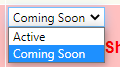 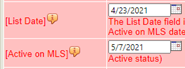 The List Date is the day when your listing goes up on the MLS showing as Coming Soon. This corresponds with the MLS Entry Date field on the listing agreement. While in Coming Soon status, your listing does not accrue Days on Market (DOM). The Active on MLS date is when the MLS switches your listing to the Active status for you, making it fully available for showings. No showings are allowed while your listing is in the Coming Soon status. When it becomes Active, it must be available for showings immediately. Be aware of this when you set your List and Active on MLS dates, as this is the only method to delay showings for properties. Coming Soon and Active on MLS Date have completely replaced the Showing Start Date.  While you can extend Coming Soon up to a maximum of 30 days from List Date, you cannot move the Active on MLS date to an earlier date. You can, however, use the End Coming Soon button, which makes converts the listing to Active status immediately. So, be sure to double-check your dates!
| ||||||||||||||||||||
|
RESOLVED – Subscription Email Bug: Coming Soon Notifications Duplicated EDIT – 4/12/2021: FBS is now reporting this issue as resolved. If you notice the issue still occurring, please contact MLS Tech Support. MLS Technical Support is aware of a bug in the Flexmls system that generates duplicate emails in client email subscriptions when a “Coming Soon” converts to “Active” as a “New Listing”. This has been reported to FBS who manages the back-end of the Flexmls system and they are continuing to work to resolve this ASAP. MLS Technical Support is in contact with the vendor regarding an urgent need for resolution and monitoring of the situation. Updates will be provided as soon as they are available. We thank you for your patience and apologize for the inconvenience.
| ||||||||||||||||||||
|
Delayed Showings Must Use Coming Soon Status Please Note: Showing rules and requirements (eg showing instructions in property description) are applied to Coming Soon’s “Active on MLS” date. Coming Soon status MUST BE USED as the replacement for Showing Start Date. 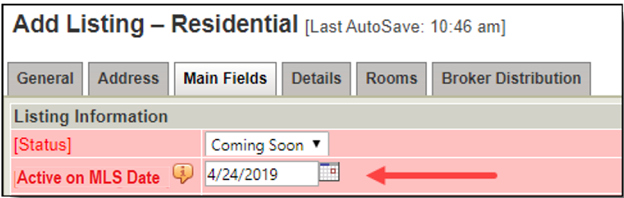 The image above shows the Status field on Add/Edit. Active on MLS date field appears when Coming Soon status is selected.
20200305 rev. 0
| ||||||||||||||||||||
|
Columbus Realtors – Phone System Migration Columbus Realtors is currently in the process of migrating to a newer phone system to better serve our members. Until the final tweaks and updates are applied, members may experience dropped calls or other disruptions when calling into Columbus Realtors. We are working to minimize the impact of these disruptions and thank you for your patience.
| ||||||||||||||||||||
|
Delayed Showings? Coming Soon Status Must Be Used Instead of Showing Start Date Please Note: Showing rules and requirements (eg showing instructions in property description) are applied to Coming Soon’s “Active on MLS” date. Coming Soon status MUST BE USED as the replacement for Showing Start Date. EFFECTIVE IMMEDIATELY: New listings:
The image above shows the Status field on Add/Edit. Active on MLS date field appears when Coming Soon status is selected. Current listings:
GOING FORWARD FROM MARCH 1, 2021:
20200210 rev. 1
| ||||||||||||||||||||
|
Policy Violation Manual Updated – Effective March 1, 2021 You can now download the latest review of the MLS Policy Violation Manual. The manual has been updated for changes effective March 1, 2020. Changes include the following: 1.01.04 – Incorrect Sub-Type – Data Maintenance Fee with Warning 1.02.01 – Unallowable Data in Property Description – Fine with Warning Warning, $100, $200, $500 No branding, self-promotion, URLs, or contact information of any kind is permitted in the Property Description field. Comments specific to buyers or buyer-related information, including financing concerns, are also prohibited. The comment “Back on Market – See Agent to Agent Remarks” is permitted. MLS staff is authorized to delete wording as needed to make the Property Description compliant with this policy. Specific showing instructions are not allowed with the following exceptions: References to the actual Coming Soon status/Active on MLS date (i.e., “No showings until Dec 14 – floor refinishing”), the phrase “curb offers only”, and Notice to Show instructions such as “24 hours or more notice to show”. Name of builder or model is permitted only for resale properties. New construction and Build-to-Suit properties cannot display the builder or model name in this field. Note: If Active on MLS date is changed, Property Description should be updated 1.02.16 – Active on MLS Date for Coming Soon – Inaccurate Remarks/Description – Fine with Warning Warning, $100, $200, $500 Any mention of the date upon which showings begin in the Property Description or in the Agent to Agent Remarks must match the information as it exists in the Active on MLS date for Coming Soon listings. In situations where the Active on MLS date was properly extended in the listing data, but the information was not updated in the Property Description and/or the Agent to Agent Remarks, the information will be changed and the listing agent will be notified. 1.03.03 – Unauthorized use of MLS or Other Copyrighted Photo – Fine with No Warning Other than county auditor photos, members cannot advertise, distribute, display or in any way re-use any other person’s photos without proper authorization from the photographer or copyright holder who supplied them. A first offense will include the $500 fine and a required education component. 1.03.06 — Unacceptable language in MLS Text Fields – Fine with No Warning $100, $200, $500 Use of unacceptable language in any MLS field is prohibited. Unacceptable language is defined in the MLS Rules and Regulations. 1.04.07 – Display of Sexually Explicit Materials – Fine with No Warning $2500, $3500, $5000 Any sexually explicit images on a listing will be removed and a fine will be assessed of $2500 for the first offense, $3500 for the second offense and $5000 for the third offense. An ethics complaint by the chair of the MLS Board Chair shall be filed with each offense. 1.05.04 – Showing a Listing During a No Showings Allowed Period – Fine with No Warning $1000, $2500, $5000, Suspension (Plus) This fine will be assessed for showing a listing:
Fine assessed to both the listing and buyer agents. NOTE: Effective immediately, the Coming Soon status with a future Active on MLS date MUST be used if showings are delayed until a future date. Showing Start Date will be completely removed on March 1, 2021.
| ||||||||||||||||||||
|
MLS Taxes: Time to Update “Tax (Yrly)” and “Tax Year” It’s time to update the tax information on your listings for the 2020 tax year. For listings that are not in a CANCELLED or CLOSED status, these fields can be edited along with other listing fields by editing the listing values through LISTING INFORMATION. This action can be taken by the broker/office admin or by the listing/co-listing agent. This routine remains an important manual operation for REALTORS® to complete at the beginning of each year. While Realist can auto-pop the Yearly Taxes and Tax Year for you when you first enter the listing, it cannot automatically update them when those figures change. Many county auditors have updated their tax records already or will finish their process in the next few weeks, for each parcel in their taxing districts for the 2020 tax year. Voter approved school and bond levies impact those figures each year along with auditor reassessments or owner appeals of property valuation. Most real estate taxes change annually. It is important that REALTORS®, clients, and even sellers be kept apprised of these ever-changing figures.
| ||||||||||||||||||||
|
Zillow acquisition of ShowingTime On behalf of Columbus REALTORS® 2021 President Michael Jones, President-Elect Sue Van Woerkom, Treasurer Patti Brown-Wright, Secretary Scott Hrabcak and CEO John Geha: Social media has been inundated with inquiries regarding the Zillow Group Acquisition of Showing Time. The Columbus REALTORS® staff will not be addressing any inquiry that infers Anti-Trust or has legal questions on Anti-Trust or Conflict of Interest. The legalities of the acquisition are far beyond the reach of the MLS. The Columbus REALTORS® will continue to conduct business and make member benefit product decisions as we always have in the past. Vendors are vetted by leadership committees and leadership will vote to approve any vendor and product based on legal criteria. NAR Anti-Trust 101 (6:45 mark advances to specific Boycott Anti-Trust) MLS Anti-Trust Compliance Policy (you may need your NAR website credentials) See below for a statement from your Columbus REALTORS® Officers. Please share as needed or at will. 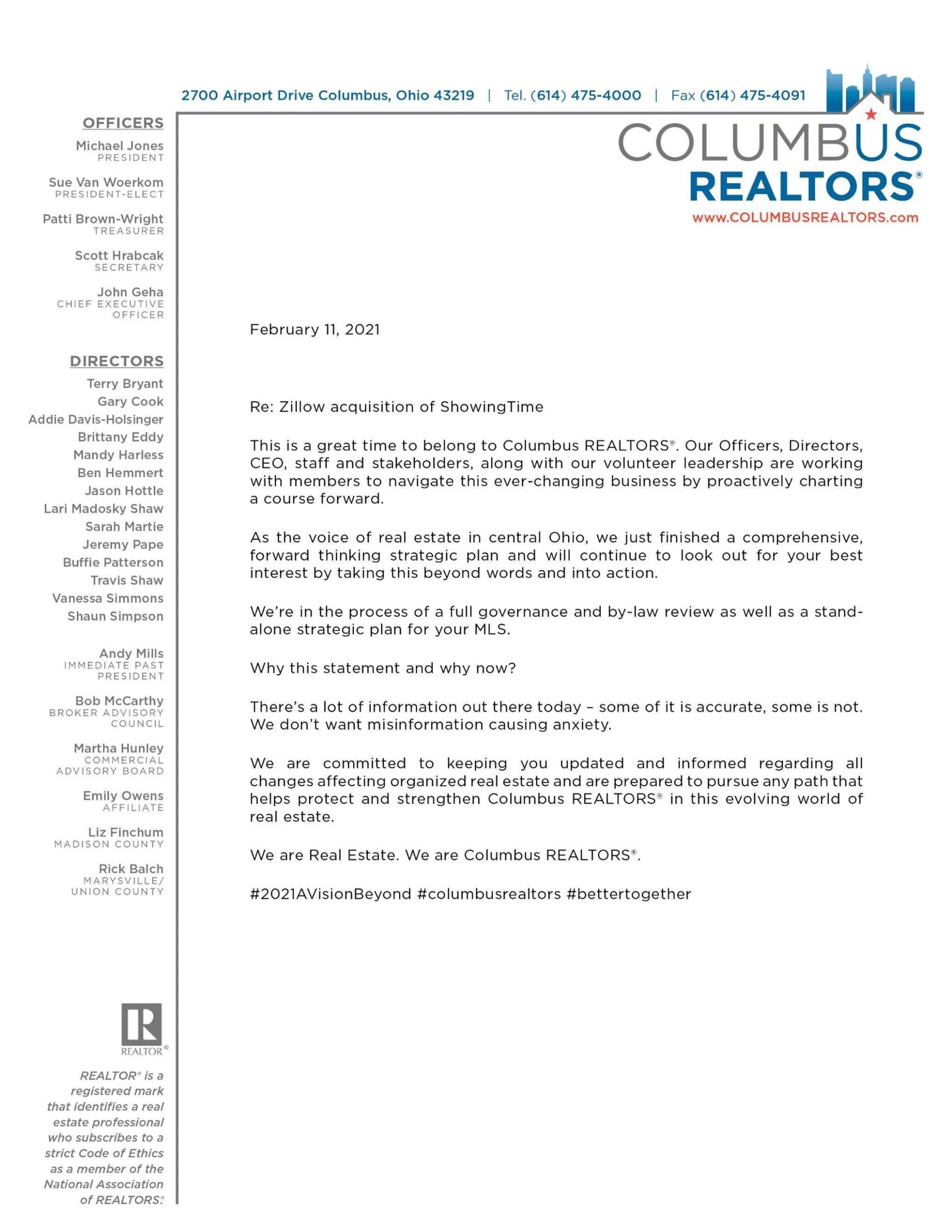
| ||||||||||||||||||||
|
Data Co-op: CoreLogic RealAVM report not generating – RESOLVED This has been resolved as of 2/17/2021 by confirmation from our vendor and testing by MLS Staff. CoreLogic, the vendor of Data Co-op has confirmed issues with report generation specifically related to the RealAVM report. CoreLogic is working to remedy the issue and this is a top priority for resolution.
|
