| « Previous 1 … 35 36 37 38 39 … 60 Next » | ||
|
MLS Policy Tip: For Sale Signs Cannot Be Visible in Photos Pictures on the MLS cannot be branded in any way. This applies explicitly to your “For Sale” sign. MLS photos are available to the public through MLS email and broker-operated websites. For this reason, For Sale signs are considered very volatile and are subject to an immediate $100 fine. It doesn’t matter if the signage or other branding is on the primary or secondary photos. It is an MLS policy violation and you will receive a fine. Please check your listings photos for possible violations for yard signs or any other branding on your photos. Please review the actual MLS policy below. Policy 1.03.05 – Unallowable Data on Photos and Public Documents – Fine with No Warning No marketing devices of any type (e.g., logos, readable for sale signs, company names, phone numbers, Web sites, e-mail addresses including embedded, overlaid or digitally stamped information etc.) shall appear on or with any photos or public documents except for the following:
| ||
|
Realist Maintenance: Wednesday June 29 – 1:00am – Some Functions Unavailable CoreLogic will be performing Realist system maintenance on the Morning of June 29, 2016 from 1:00 am to 2:00 am. Realist will be available during this time, however the print/save/email functions will be unavailable during this maintenance period.
| ||
|
Accessibility Features Worksheet Updated: New Selections Added for Elevator and Stair Lift Two new selections have been added to the existing Accessibility Features Worksheet. These new selected, Elevator and Stair Lift appear in the “Other” section of the form. The Accessibility Features Worksheet is required when the MLS field “Accessibility Features” is set to Yes on a listing. Agents are highly encouraged to attach the completed form to their listing in the MLS. The Accessibility Features field acts as a notification that a property has Accessibility Features ‘of some kind’. The required Accessibility Features Worksheet allows the agent to detail the degree of accessibility. The form has been updated to include options for Elevator and Stair Lift.
Download the updated Accessibility Features Worksheet
| ||
|
Delayed Showing Authorization Form – Now Required for Listings with Future Showing Start Date A new Delayed Showing Authorization Form has been created and adopted for use with listings that utilize a future Showing Start Date. The form is required for any listing for which the Showing Start Date is after the List Date. (Example: List Date June 1, Showing Start Date June 10.) Brokers are permitted to formulate their own version of the form provided the substitute form contains at least the same requirements as the MLS version of the form. Download the Delayed Showing Authorization Form
| ||
|
Showing Start Date Limited to 30 Days in Future of List Date The Showing Start Date will be limited to a maximum of 30 days in the future from the list date per MLS committee and Board of Directors’ decision. If originally set less than 30 days in the future, it can be extended. The extension cannot be further out than 30 days from the original List Date. This policy will be effective immediately based on the ability of the vendor to implement the changes. Current listings where the Showing Start Date is more than 30 days out will not be affected.
| ||
|
Upcoming Flexmls Webinars: Using Quick Launch and Android App Coffee Break Class – Using Quick Launch Join us for this 15 minute online-only webinar that will show you the benefit of starting your search using Quick Launch. Tuesday, Jun 07, 2016 Can’t clear your schedule for the live webinar? Register anyway! You will be emailed a link to view the recorded webinar even if you do not attend. (link will be sent a few days after the webinar) Register now! https://attendee.gotowebinar.com/register/7886161762949765121 After registering, you will receive a confirmation email containing information about joining the webinar.
Flexmls Pro – the Android app Join us for an online-only webinar overview of Flexmls Pro – the Android App and see the latest updates! Tuesday, Jun 14, 2016 Can’t clear your schedule for the live webinar? Register anyway! You will be emailed a link to view the recorded webinar even if you do not attend. (link will be sent a few days after the webinar) Register now! https://attendee.gotowebinar.com/register/8097846338599406593 After registering, you will receive a confirmation email containing information about joining the webinar.
| ||
|
Flexmls downtime: Tuesday, May 24 – 5-6am – Scheduled Maintenance FBS (our MLS vendor) will be applying updates to their storage systems between 5:00AM-6:00AM (Eastern) on the morning of Tuesday, May 24th. The system will be completely unavailable for at least 15 minutes during this maintenance window. FBS has informed us that the upgrade is necessary to ensure system stability and apologizes for the short notice.
| ||
|
Realist Downtime: Sunday, May 21 – 11pm -Scheduled Maintenance CoreLogic will be performing Realist system maintenance on the evening of May 21, 2016 from 11:00 pm to 12:00 am. Realist may be intermittently unavailable during this maintenance period.
| ||
|
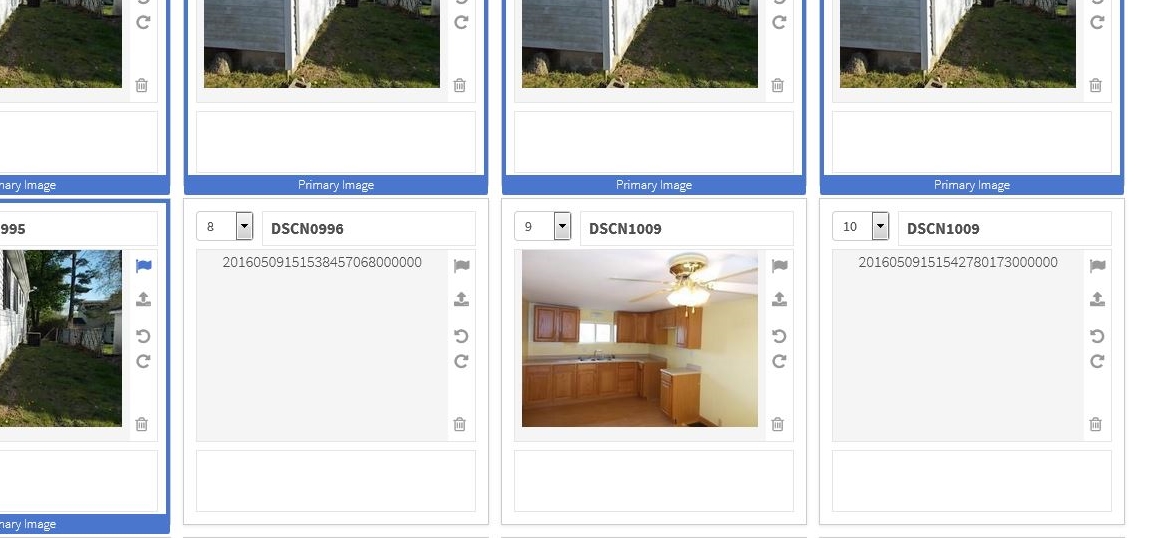
Resolved: Photo Upload Issue and Android App Listing Change Delays This issue with photo upload should now be resolved. This also affected update delays for the display of listing changes on Android devices in the Flexmls Pro app. This Android delay should also now be resolved. If you are still experiencing issues uploading listing photos, please empty your cache and try again. If the problem persists, please contact technical support. Original Issue Reported May 9, 2016: Starting at around 11am today, we have noticed some issues with the photo upload ability within the Flexmls system. When attempting to use the photo uploader, it’s very likely that you’ll either receive an error message on the photo uploading process, or, if you are able to load a photo, you’ll get items that display like below:
At this time, if you are seeing the errors messages or blank photos as seen above, there is nothing you are doing incorrectly. This issue is affecting all users of the MLS system. At this time, we do not have an work around and our advice is to hold off on using the uploader until we provide further details. This post was added recently as our MLS vendor, FBS, has confirmed the issue and is currently working towards a fix. At this time, they did not provide us with an ETA as to when the issues would be resolved. When we find out more, we will update this post.
| ||
|
Showing Start Date Displayed More Prominently on Public and Private Reports The Showing Start Date field has been added to the top of public and private reports in the MLS. It was added to the Full Report (1 page), Full 2-page report, and Brief with Photos report. The field appears directly below the List Price/Original List Price fields at the top right corner of these reports. Previously, the field was displayed only at the bottom of the private reports. The Board of Directors felt this was a high priority change since the Showing Start Date directly impacts buyers. They felt the field should be made much more prominent so that the buyers were aware of this critical field. Please make sure your clients know about Showing Start Date and that they will not be able to enter the property until the Showing Start Date passes.
|