| ||||||||||||||||||||
|
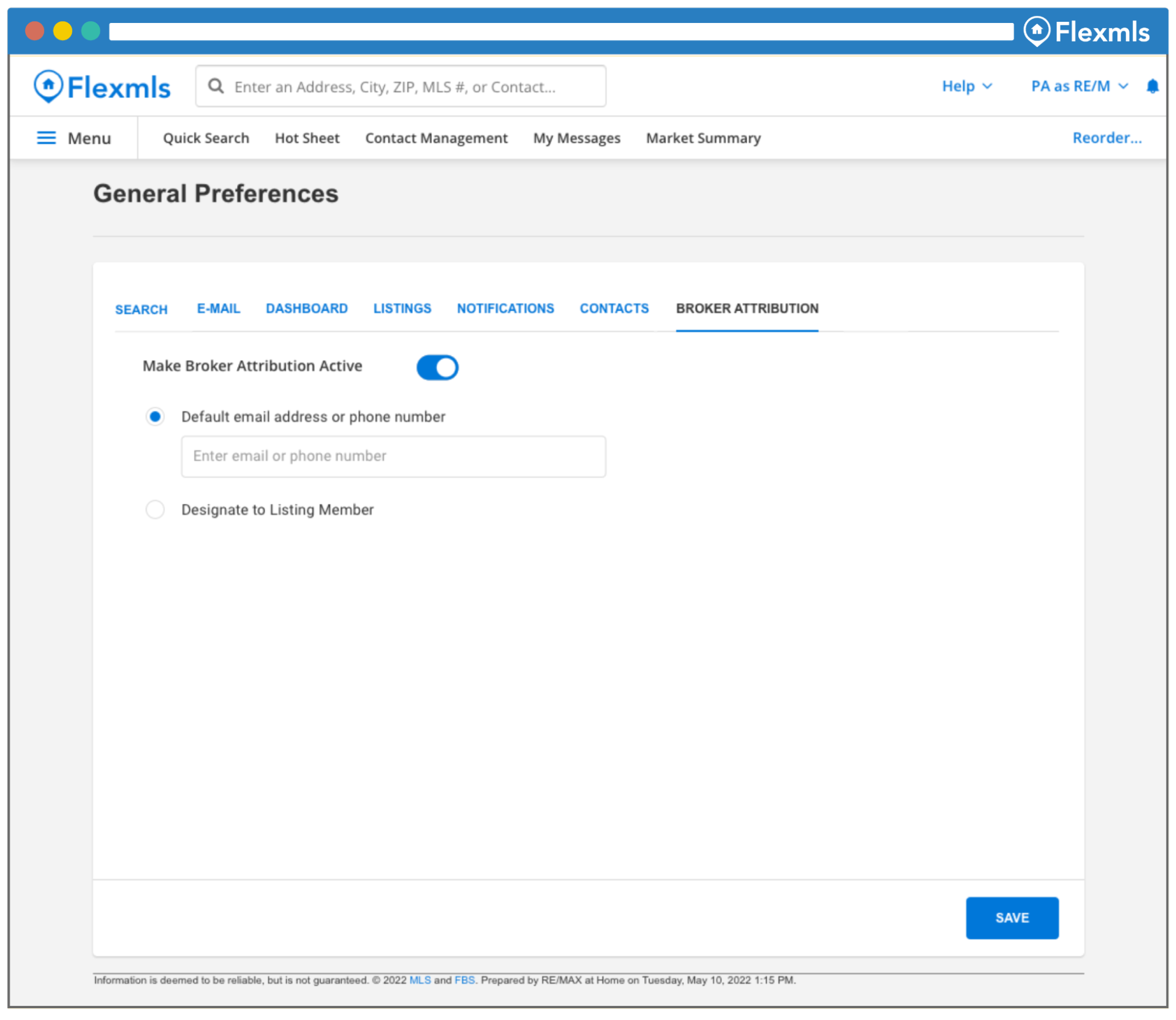
Brokers: New Attribution Option for IDX Due to 2022 NAR policy updates, Flexmls is making the following changes to comply with the Broker Attribution Requirement. Flexmls will add the capability to enable Broker Attribution. This setting is controlled at the Office level and is disabled by default. No action is required and no changes will go into effect unless this preference is made active by the Office. There is no Company level Broker Attribution field, but if you have a Flexmls Company account, you will be able to individually manage Broker Attribution for all of the Offices in your Company-level account in General Preferences under the Broker Attribution tab. If your Office wishes to make Broker Attribution active, they can enable this in the General Preferences under the new Broker Attribution tab in one of two ways:
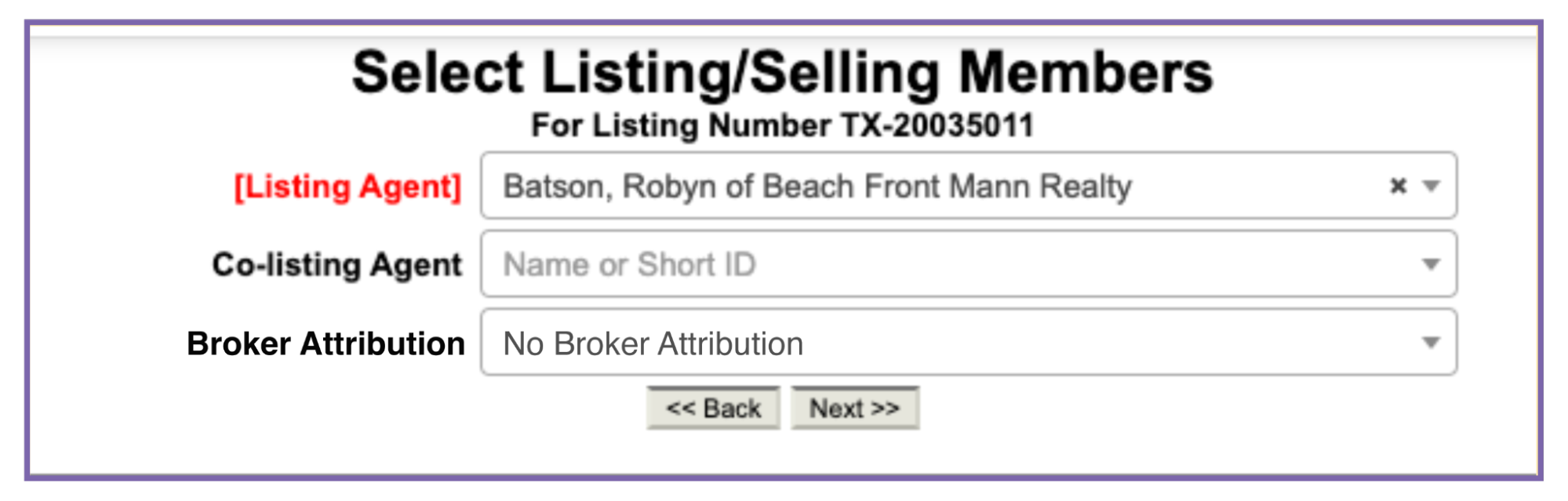
If the Broker Attribution field is designated to a listing agent, all of the agent’s listings will inherit the email address or phone number entered and will be included in data feeds. Note: If this setting is disabled at the Office level, the preference will not be viewable at the agent level.
The Broker Attribution tab is now accessible under General Preferences. Select the radio button to make Broker Attribution active at the Office level. Then, add a default email address or phone number, or designate to a listing member.
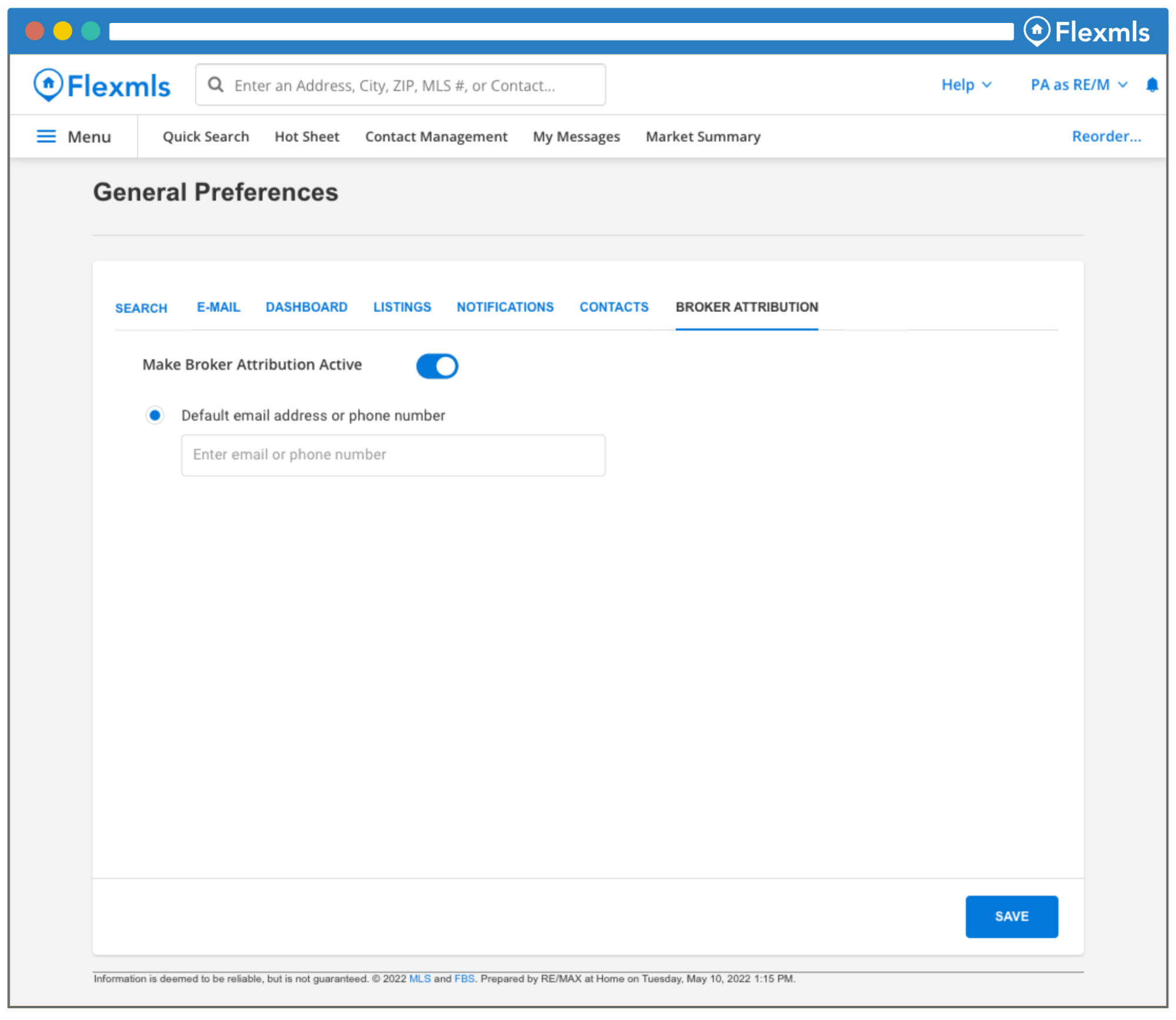
If the Office has made broker attribution active at the agent level, that agent will have the option to select the radio button to make Broker Attribution active and add a default email address or phone number for all of their listings. 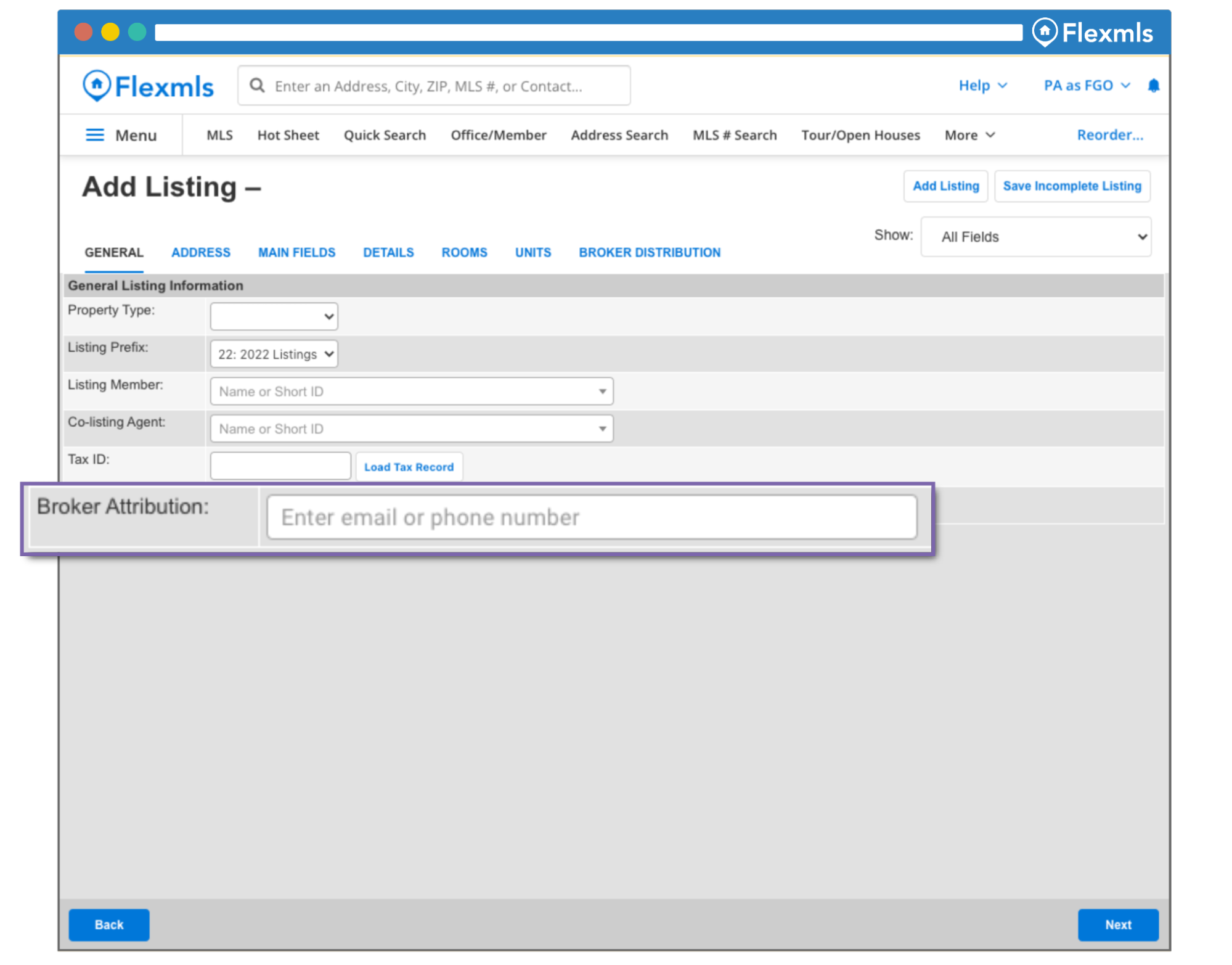 If Broker Attribution is designated to a listing member, the option to assign Broker Attribution is available when adding a listing.
If Broker Attribution is designated to a listing member, the option to assign Broker Attribution is available when editing a listing.
| ||||||||||||||||||||
|
SSO is Coming – How to Login to MLS on August 22nd Columbus REALTORS® will introduce SSO for all members sometime on the evening of Sunday, August 21. YOU CANNOT LOGIN TO SSO BEFORE SUNDAY NIGHT! SUMMARY: Beginning Sunday night (but not before), you will be required to login to the SSO to gain access to all things MLS. How do I login to MLS starting SUNDAY NIGHT?
What about my phone? Is that SSO too? Yes. You will need to go to columbusrealtors.com and sign in to the member portal (SSO) on your phone. Click the button inside the SSO dashboard to go to Flexmls (or other sites). This will work the same as on a computer. What is SSO? Hopefully you’ve already heard of SSO (Single Sign-On). If not, here’s the short version. SSO basically means you log in to a single site. That single login gets you access to multiple apps and sites. This means you have many fewer passwords to remember. You sign in through the SSO, then just click a button in the SSO “dashboard” to launch other software. Office Admins and Unlicensed Assistants All admins and assistants will be required to create a new account. The old format logins “cr.adminXXXX” and “cr.NRDS#a1” accounts will no longer work. New ADMIN accounts will have to be given MLS Access by the Broker. Assistant accounts will have to re-establish Superuser connections to their agent. There will be an FAQ on the member portal login screen with specific instructions. More information will be provided in the coming days Contact MLS Technical Support with questions
| ||||||||||||||||||||
|
Share Listings via Text Message in Flexmls Did you know that on average, it takes a person about 90 minutes to open an email, but only 90 seconds to open a text? As of June 23, you can share single or multiple listing(s) from Flexmls Desktop to Homebuyers via text message. You can access this new text message feature using the new Share button on the Quick Search and Change Listing page. 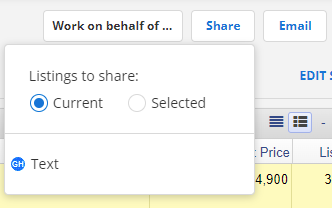 How does it work?

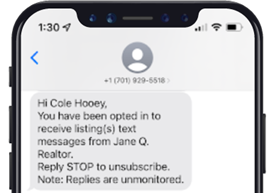
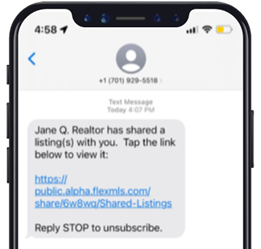
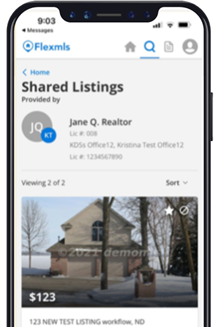 Click here for more details.
| ||||||||||||||||||||
|
Upcoming MLS Scheduled Maintenance Notice – 07/14/2022 The MLS will be undergoing regular system maintenance from 5am to 7am EST on July 14, 2022. During this maintenance window, there are expected to be approximately 3 service-interrupting events lasting 15 to 20 minutes each.
| ||||||||||||||||||||
|
Image Display Issues within Flexmls – Resolved Updated 7/8/2022 Original Message: Images uploaded to Flexmls on new listings are currently not displaying. Our vendor is aware of the issue and working on it. There is currently no ETA. Images that have been uploaded are not lost.
| ||||||||||||||||||||
|
Upcoming MLS Scheduled Maintenance Notice – 07/06/2022 MLS will be undergoing a regular system maintenance from 5am to 7am EST on July 6, 2022. During this maintenance window, there are expected to be approximately 3 down times lasting 15 to 20 minutes each.
| ||||||||||||||||||||
|
A purchase contract does NOT negate MLS Coming Soon policy A purchase agreement between a buyer and a seller does not negate a member’s obligations to follow the MLS’ Rules and Regulations, which is an independent contract existing between the member listing broker and the MLS. If a listing is in Coming Soon status and the seller accepts a curb offer in which the buyer asks to see the property, you must ‘End Coming Soon’ before showing the property or you are in violation of MLS Policy 1.05.04 – Showing a Listing During a No Showings Allowed Period. Read letter from Columbus REALTORS® legal counsel.
| ||||||||||||||||||||
|
Upcoming MLS Scheduled Maintenance Notice – 06/22/2022 MLS will be undergoing a regular system maintenance from 5am to 7am EST on June 22, 2022. During this maintenance window, there are expected to be approximately 3 down times lasting 15 to 20 minutes each.
| ||||||||||||||||||||
|
COCIE – Expanded Eligibility for Governing Board COCIE Rules and Regulations have been modified to expand the number of eligible firms for COCIE Governing Board appointment. Section 3.1.1b of the Rules now allows candidates to be selected from the ten largest firms. Firm size is determined by number of active COCIE members. Previously, eligibility was limited to the top five firms. The appointments for the large firms’ open seats are expected to be made at the July COCIE Governing Board meeting.
| ||||||||||||||||||||
|
Upcoming MLS Scheduled Maintenance Notice – 06/15/2022 MLS will be undergoing a regular system maintenance from 5am to 7am EST on June 15th, 2022. During this maintenance window, there are expected to be approximately 3 down times lasting 15 to 20 minutes each.
|