| ||||||||||||||||
|
Realist Downtime: Sunday, May 21 – 11pm -Scheduled Maintenance CoreLogic will be performing Realist system maintenance on the evening of May 21, 2016 from 11:00 pm to 12:00 am. Realist may be intermittently unavailable during this maintenance period.
| ||||||||||||||||
|
In Memoriam – James A Walker, James Walker Real Estate Co. Read full obituary here:
| ||||||||||||||||
|
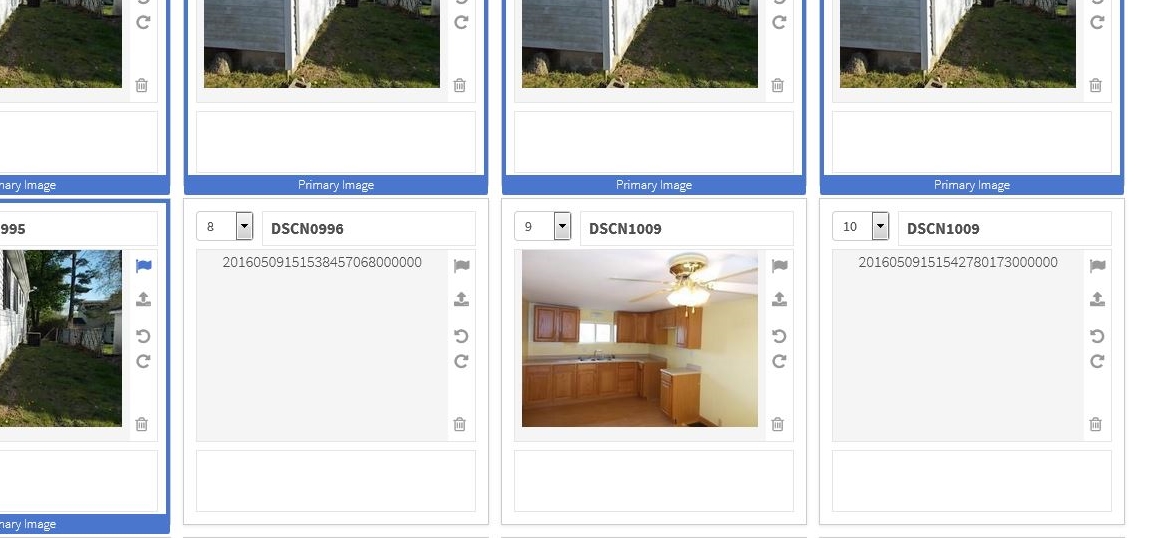
Resolved: Photo Upload Issue and Android App Listing Change Delays This issue with photo upload should now be resolved. This also affected update delays for the display of listing changes on Android devices in the Flexmls Pro app. This Android delay should also now be resolved. If you are still experiencing issues uploading listing photos, please empty your cache and try again. If the problem persists, please contact technical support. Original Issue Reported May 9, 2016: Starting at around 11am today, we have noticed some issues with the photo upload ability within the Flexmls system. When attempting to use the photo uploader, it’s very likely that you’ll either receive an error message on the photo uploading process, or, if you are able to load a photo, you’ll get items that display like below:
At this time, if you are seeing the errors messages or blank photos as seen above, there is nothing you are doing incorrectly. This issue is affecting all users of the MLS system. At this time, we do not have an work around and our advice is to hold off on using the uploader until we provide further details. This post was added recently as our MLS vendor, FBS, has confirmed the issue and is currently working towards a fix. At this time, they did not provide us with an ETA as to when the issues would be resolved. When we find out more, we will update this post.
| ||||||||||||||||
|
In Memoriam – Brian Donahue Read full obituary here
| ||||||||||||||||
|
Showing Start Date Displayed More Prominently on Public and Private Reports The Showing Start Date field has been added to the top of public and private reports in the MLS. It was added to the Full Report (1 page), Full 2-page report, and Brief with Photos report. The field appears directly below the List Price/Original List Price fields at the top right corner of these reports. Previously, the field was displayed only at the bottom of the private reports. The Board of Directors felt this was a high priority change since the Showing Start Date directly impacts buyers. They felt the field should be made much more prominent so that the buyers were aware of this critical field. Please make sure your clients know about Showing Start Date and that they will not be able to enter the property until the Showing Start Date passes.
| ||||||||||||||||
|
Realist Downtime: Scheduled Maintenance – Saturday, April 30 – 11 pm CoreLogic will be performing Realist system maintenance on the evening of Saturday April 30, 2016 from 11:00 pm to 12:00 am EDT. Realist may be intermittently unavailable during this maintenance period.
| ||||||||||||||||
|
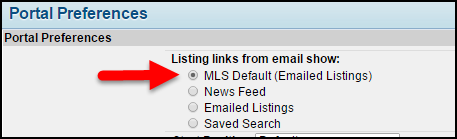
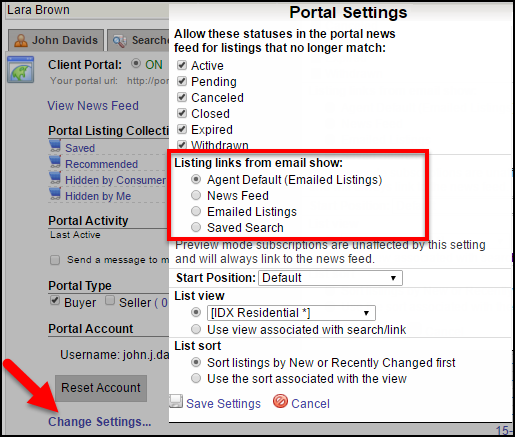
Newsfeed and Portal Changes: May 4 – Choose Landing Page for Subscription Email On May 4, users will be able to decide what happens when their client clicks a link in subscription email. The link can go to the news feed as it does now (this will remain the default), only the listings in the email that was clicked, or all of the listings that match the saved search. In addition to this, the Portal menu design will change to allow easier access to the user’s saved searches. Users Can Customize Their Portal Preferences
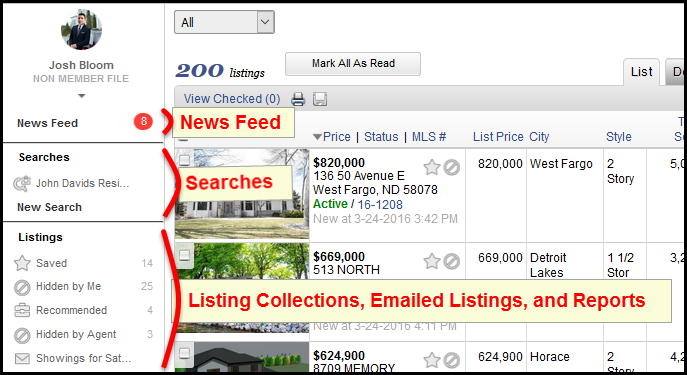
· Saved Searches – Subscription links will open to the selected listing within the Saved Search that generated the email. Your contact can use the menu to navigate to their News Feed, different Saved Searches, Saved Listings, Custom Collections, and more. Set the Subscription Landing Page for a Specific Contact Please Note: This selection applies to the selected contact only and takes precedence over your general Portal Preference setting. Preview Mode and the Subscription Landing Page Updated Portal Menu Design Please note: Only the order of the menu items is changing; labels and custom collections will remain the same. This design change applies to all MLSs, regardless of what the preference User can set their contacts’ subscription emails to open in the news feed, emailed listings or saved search is set to.
| ||||||||||||||||
|
Browser Compatibility Warning: April 26 – New SHA-2 Security Will Require Up-to-date Web Browser On April 26, the Flexmls system will begin using new security (SSL) certificates. This upgrade is necessary because all major browsers are already, or soon will be, restricting access to sites that don’t use SHA-2 certificates. You can read more about this issue here and here. Click here to test your browser’s compatility with SHA-2: http://www.flexmls.com/securitytest Please test each computer and browser you use to access the Flexmls system. Different browsers on the same computer or different computers running the same browser need to be tested independently. How will this affect users? What if my browser fails and is not compatible? Once the computer and browser have been updated to the most recent version, check the test page again and you should pass.
| ||||||||||||||||
|
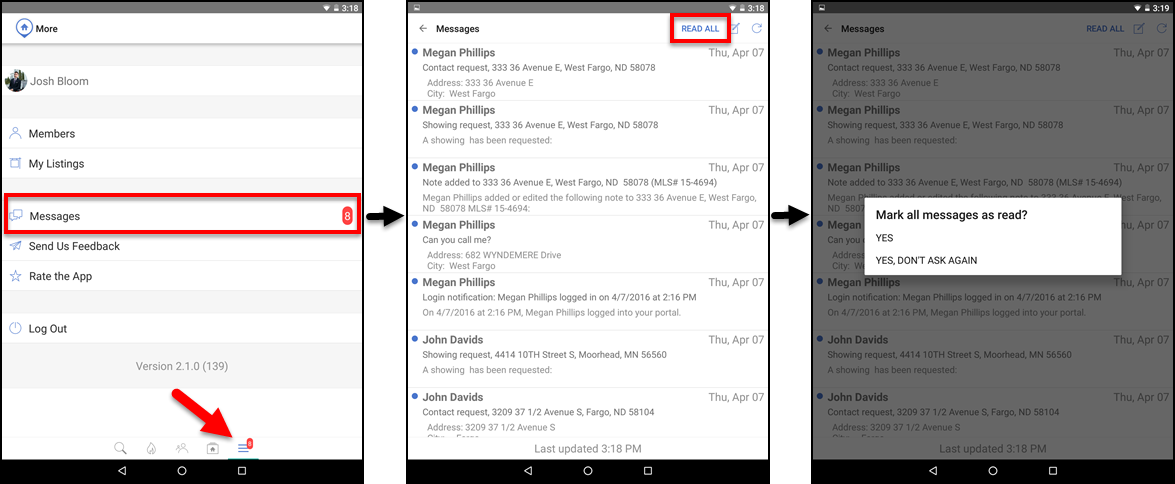
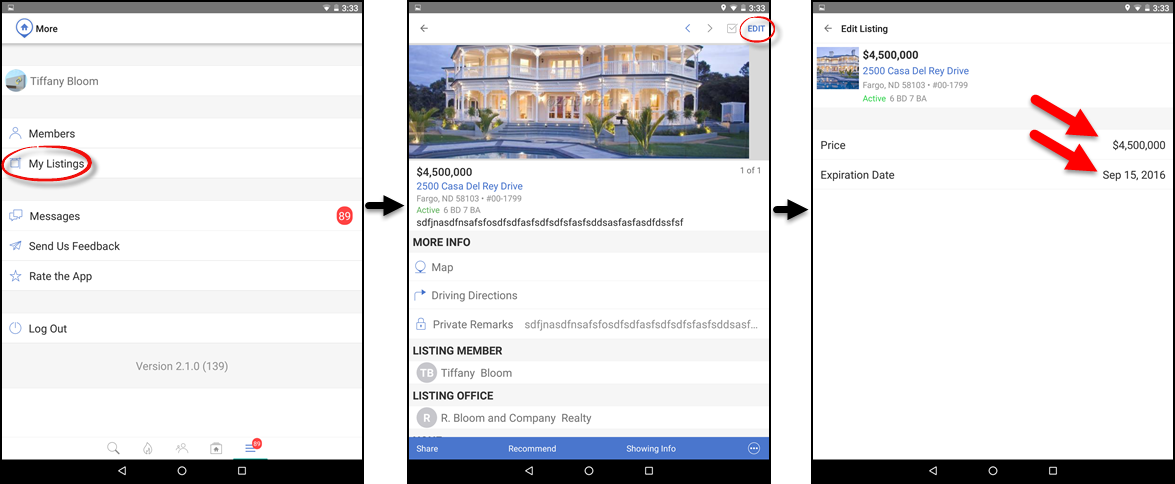
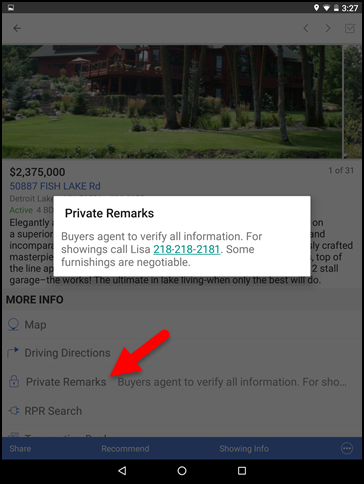
Flexmls Pro: New Android Version 2.1.0 – April 25 On April 25, Flexmls Pro version 2.1.0 for Android will be released and available in the Google Play Store. The latest version will include the ability to mark all messages as having been read, the ability to change the price and expiration date for your listings, clickable phone numbers, and more. Mark All Messages as Read
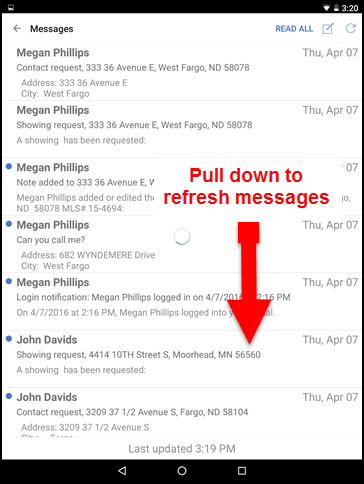
If you select YES, all of your current messages will be marked as having been read. The next time you tap READ ALL when checking your messages, you will receive the same confirmation dialogue box. If you select YES, DON’T ASK AGAIN, all of your current messages will be marked as having been read, and the next time you tap READ ALL when checking your messages, you will not receive a confirmation dialogue. Instead, all messages will automatically be marked as read. To cancel, tap the screen anywhere outside of the confirmation dialogue box. To refresh your messages, tap the screen and pull down.
Listing Maintenance: Price Change and Expiration Date
Interactive Phone Numbers on Detail Screen
Other Changes
| ||||||||||||||||
|
Flexmls Network Upgrade: April 14 – 5am – Intermittent Slowness; Possible Downtime FBS will be upgrading our network infrastructure on Thursday, April 14th. The work is scheduled to begin at 5:00AM and should last about an hour. The flexmls system is expected to remain available during this window but there could be intermittent outages or delays as traffic is shifted over to redundant links.
|