| ||||||||||||||||||||
|
Erroneous “SqFt Documented field is blank” Emails What is Happening?Over the last 3 mornings, you may have received an email stating that your listing has the SqFt Documented field blank even though you actually have a value supplied. We have been in touch with the vendor and are pressing them for a resolve on the issue. We expect an answer from them today. What should I do?If your listing has a value supplied for SqFT Documented, you can ignore the email. If your listing does not have a value entered, please take the steps provided in the email to notify MLS staff of a value to enter on your listing. History of the emailOur vendor, FBS, has an automatic script process to watch for listings that DO NOT have the field SqFT Documented filled out. If found the script will process the next morning and send out an email reminding our policy regarding SqFT Documented. The email states: MLS Policy requires the Sq Ft Documented field to be accurate for all listings. The listing agent must provide proof of taxable square footage from a professional source to the MLS within 15 days from the entry date. You must provide this proof by email in PDF format or by FAX. You cannot update the listing’s Sq Ft Documented yourself. The field is locked after initial entry. You will continue to receive this notification for 15 days or until the field is updated by MLS staff. After 15 days, the listing agent will receive a Data Maintenance Fee for late entry of Sq Ft Documented. This policy applies to all Residential and Res Rental listings. PROOF OF SQ. FT. SOURCE DOCUMENTS: MLS staff must update the Sq. Ft. Documented field for you based upon the source document you provide. Acceptable source documents include county auditor’s record, appraisals, builder statements and floor plans provided by a builder, architect or licensed appraiser. Please submit these documents to MLS so your listing can be updated immediately. You may submit documentation as a PDF by email or FAX. SUBMIT TO:
QUESTIONS? (614) 475-4000 (ask for MLS Corrections)
| ||||||||||||||||||||
|
Saved Search in Flexmls: UI Refresh – A New Modernized Look The appearance (User Interface) of the Saved Searches page is being “refreshed”. The new Saved Search page will have the updated, modern look that has already been incorporated in Quick Search and Hot Sheet pages. This UI refresh for the Saved Search page will occur in late July or early August 2019. This updated look and feel for the Saved Search page is part of the ongoing “User Interface (UI) refresh” for all of Flexmls. These changes are being made to make the Flexmls experience more consistent across mobile and desktop patforms.  Quickly add a saved search to your favorites by simply hovering over the search name and click on the grey star that appears. The star will turn yellow indicating it is now a favorite.  The More (three dots) button gives you one-click access to view saved search details, view related subscriptions, rename the saved search, or delete the saved search.  Originally Posted 7/25/19
| ||||||||||||||||||||
|
New Flexmls Login Screen – July 9 The Flexmls process is being standardized across platforms. The new login screen will have a two step process. New two step login process: The The new login process will be consistent whether you are on Flexmls Mobile or Flexmls Web. Your username and password are the same. Only the process to login will change. Login update schedule: Current login screen (one step process): 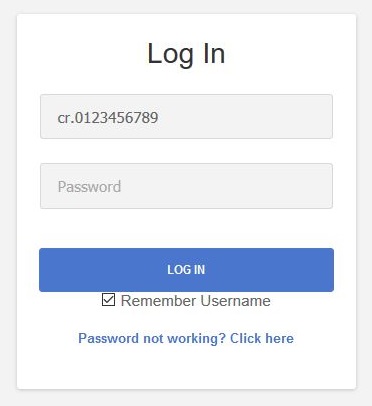 New login screen (2 page process): 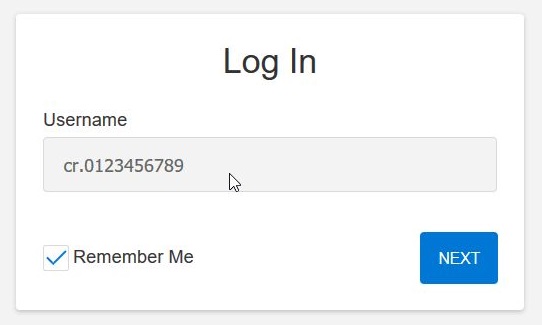 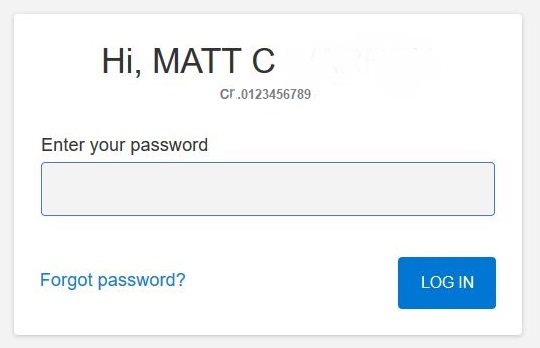 Separating the entry of user names and passwords will improve security and makes it easier to integrate third-party apps into Flexmls. This change is also part of a larger effort to create a more consistent Flexmls experience across all platforms.
| ||||||||||||||||||||
|
Flexmls: New Login Screen in July The Flexmls process is being standardized across platforms. The new login screen will have a two step process. New two step login process: The The new login process will be consistent whether you are on Flexmls Mobile or Flexmls Web. Your username and password are the same. Only the process to login will change. Login update schedule: Current login screen (one step process): New login screen (2 page process): Separating the entry of user names and passwords will improve security and makes it easier to integrate third-party apps into Flexmls. This change is also part of a larger effort to create a more consistent Flexmls experience across all platforms.
| ||||||||||||||||||||
|
Flexmls Downtime: Scheduled Maintenance – June 17th – 3am FBS will update MLS system hardware in the early morning hours of Monday, June 17th. This work is expected to take up to 60 minutes between 3:00a-4:30a (Eastern). The flexmls system will be unavailable during this time. Downtime Schedule:
| ||||||||||||||||||||
|
Franklin County Auditor’s Website Down – June 1 & 2 We have been requested by the county to let our members know that the Franklin County Auditor’s website will have limited to no functionality due to temporary interruption of electrical service. Per the County Public Facilities Maintenance department at the Franklin County Office Tower on SATURDAY JUNE 1 and SUNDAY JUNE 2, offices such as the Auditor and Recorder WILL have limited, if any online services available those days. NOTE: This will NOT affect Flexmls or MLS listing details, Realist reports or the ability to autopopulate Tax Data. Originally posted May 28, 2019
| ||||||||||||||||||||
|
Quick Search to be Merged with Map Search The existing Quick Search will now display the Map Search area by default. On May 30th, there will no longer be a need to press the Map Search button in order to view the listings on the map and draw polygon shapes. 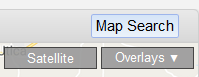 The Quick Search option on the menu will display search fields and the map simultaneously. The separate Map Search option will be removed from the Flexmls menu since Quick Search now offers the exact same map functionality. 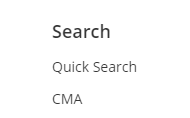 If less than 1,000 listings are found, they will automatically appear on the map. If more than 1,000 listings are found, a pop-up message will show the number of results. To view the listings on the map, click the View on Map button on the message. If you prefer to view the results in a list instead, you can click the List tab. 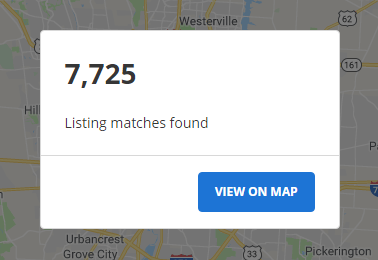 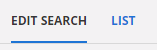
| ||||||||||||||||||||
|
Flexmls Web: Quick Search Screen Improvements – April 18 FBS will make a couple of changes to the search screen in Flexmls on April 18, 2019. These changes are based upon user feedback after the recent update. New Search Detail Pop-up The ability to quickly see the currently selected criteria using the “i bubble” at the top left was removed with the recent Flexmls update. This Search Detail functionality will return in a new location. You will now access the Search Detail pop-up by clicking the 3-dot icon at top right then Search Detail in the drop-down menu. 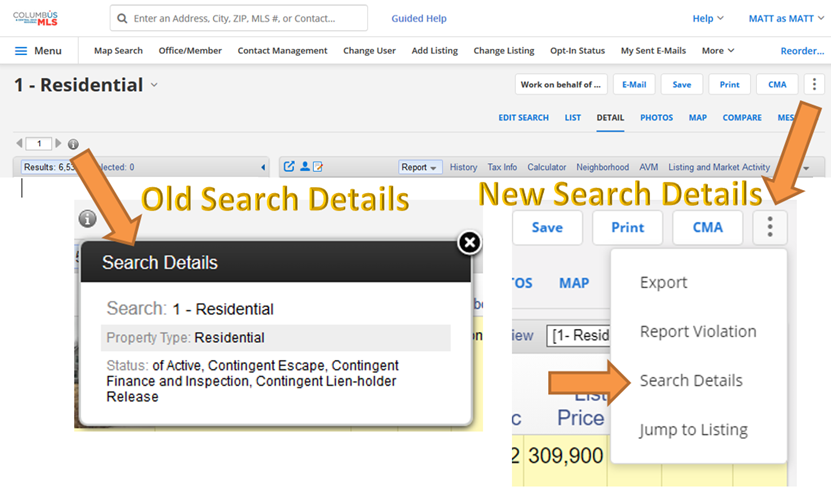 Empty Space at the Top of Search Screen Removed The redesigned layout of the search screen created a blank, unused gray bar at the top of the search screen. This blank gray area will be removed to allow additional space for map search and criteria fields. 
| ||||||||||||||||||||
|
Flexmls Pro for Android and Flexmls Mobile Web: Saved Search Changes – April 11 The Saved option on the home page will be renamed Saved Searches to match the labeling in Flexmls Web. 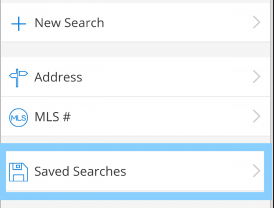 Links have been added at the top of the Saved Searches page to easily access favorite and draft searches. You can sort the list of saved searches by most recent, least recent, or search name. A saved search can easily be marked as a favorite by clicking on the star grey star. 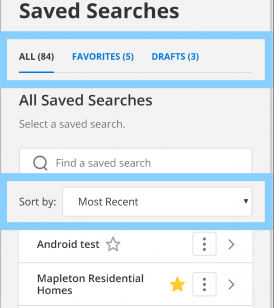 The More menu (three dots) to the right of each search gives you one-click access to view details, rename, or delete that saved search. 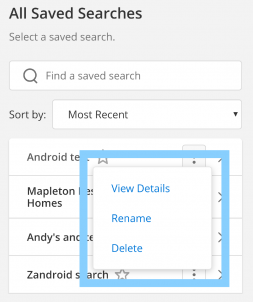
| ||||||||||||||||||||
|
Flexmls Web: Saved Search Name Will Now Be Displayed – April 4 Current Behavior: 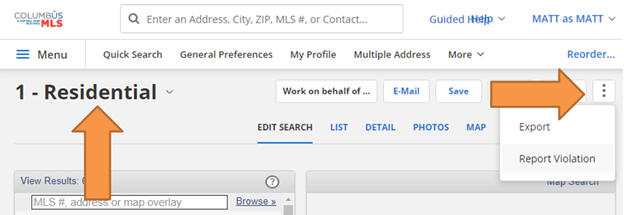 Updated Behavior April 4th: 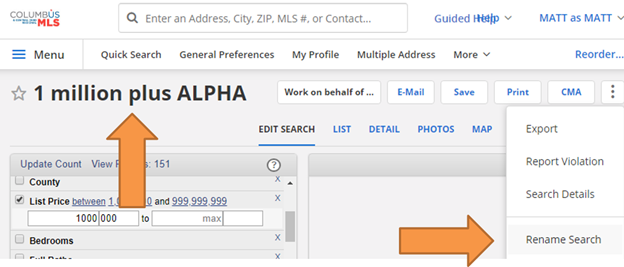
|
