| ||||||||||||||||||||
|
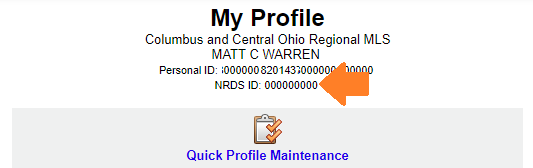
Have you memorized your NRDS number? You will need it soon. Your MLS login is currently your license number preceded by “cr.” For example, an agent whose license number is “123456789” would use “cr.123456789” to login to the MLS. The MLS login for all users will be changing later this year. You will continue to use your current, license-number-based MLS login until you are notified to use the new login. There will be several highly visible announcements prior to the new login requirement later this year. Office administrators: If your login begins with “cr.adminXXXXX”, this change will not affect your login since it does not contain your license number. Assistants: Assistant logins will continue to have a suffix (e.g., “a1”). The license number portion will be replaced by the NRDS number. The new login ID for all MLS users is planned no later than 4th quarter of 2018. It will replace license number with NRDS number. Current format “cr.LICENSENUMBER” will become “cr.NRDSNUMBER”. It is highly recommended that you memorize your NRDS number in advance of the switchover. Find your NRDS ID:
Verify your NRDS number in Flexmls:
View additional information about obtaining your NRDS ID on NAR’s website: https://support.realtor.com/dashboard/getting-started-dashboard/find-nrds/ If your NRDS ID on NAR and MLS do not match, please contact Membership at Columbus REALTORS® at 614-475-4000. – Originally posted on 06/08/2018
| ||||||||||||||||||||
|
Upcoming Flexmls Training Webinars Offered by FBS Flexmls training webinars offer live, online training on a variety of topics. Below are the latest offerings through October. Click the link beside the date and time for the webinar you wish to attend. You will be taken to a registration page for that webinar. Note: All basic functions of the Flexmls system will be identical to those used in the Columbus MLS but the exact field names may be different. Attendees will be from across the country and the specific MLS used for the demonstrations will likely be from other cities, not Columbus. Click a link below to register:8/29 – 3pm – 60 min. 9/5 – 12pm – 30 min. 9/26 – 12pm – 30 min. 10/11 – 11am – 60 min. 10/30 – 2pm – 30 min.
| ||||||||||||||||||||
|
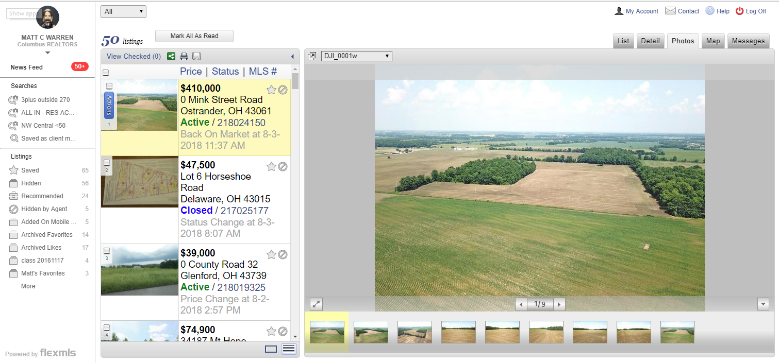
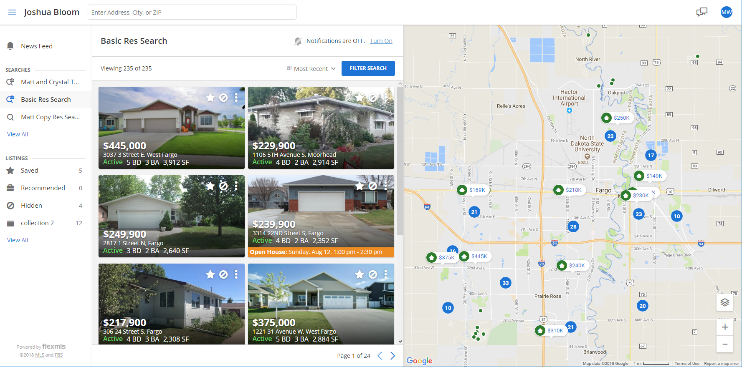
Update – Video Available – New Optional Client Portal Design – September 2018 VIDEO OF NEW PORTAL: Click here to see a video preview of the new portal. VIDEO OF ENABLING NEW PORTAL AND SETTINGS: Click here to see a video of the New Portal Settings screen and how to enable the new portal. Would you like to download or print a copy of this New Portal announcement? Click here to view the PDF. A new, updated Portal interface for clients will be made available in flexmls in September. The new Portal (aka P2, if you want to be “trendy”) is more visual and easier for clients to navigate. It will have larger, more prominent photos. Old Portal: New Portal: Update – Agent Settings for the new Portal:The Portal Preferences page looks very different when the new Portal is enabled. There are some changes as well. Some settings are removed. The basic layout of the settings is a new, collapsed view. Each section of the settings can be expanded by clicking the section you want to modify. Three New Preferences:
Renamed Preferences:
Removed Preferences: Some preferences have been removed. These include Start Position, Detail, Business Card and several others. Since these are incorporated into the default design of the new Portal, there is no customization. These items will always be displayed in their new, “P2”/New Portal layout. Changes in Contact Management: The View News Feed option allows the agent to work on behalf of the client. The agent can see the portal, mark favorites, hide, and recommend listings. NOTE: Even if the new portal is enabled, the agent will see the Classic Portal layout when they work on behalf of the client. Simplified settings when mailing Public Listings: The manual email screen is simplified when emailing public versions of a listing. Some of the Classic Portal settings don’t apply to the new layout. When a manual email of the public version of the listing is sent, the recipient views the listing in the new portal format (even if they are not using the Portal itself). This ensures that all listings from Flexmls follow the same format/design–keeping the client’s user-experience the same for all listing updates (subscription emails, manually emailed listings, and portal). NOTE: Private versions of the email will still have the options that agents are used to seeing. How do I enable the new portal? After the New Portal is enabled to all users in September, you will see a button on Portal Preferences. The large, blue button will read, “Try the New Flexmls Portal”. As soon as you enable the New Portal, ALL of your clients will have the new interface. Reminder: Switching back and forth repeatedly would be very confusing to the clients.
Things to note about the new Portal:
Would you like to download or print a copy of this New Portal announcement? Click here to view the PDF.
VIDEO OF NEW PORTAL: Click here to see a video preview of the new portal.
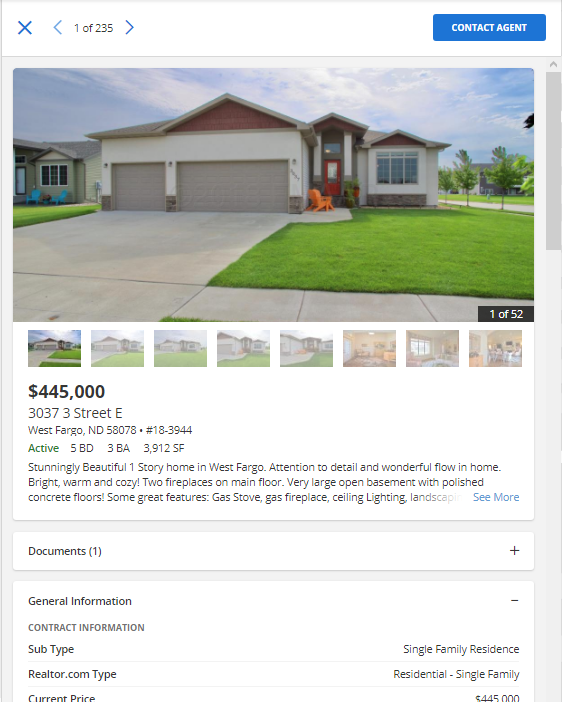
If you prefer to see screenshots of the new functionality, here you go: New “Contact Agent” button appears at the top of each listing report.
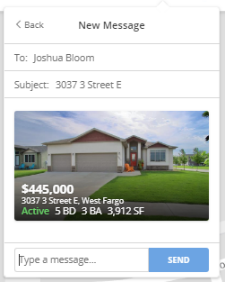
Simplified “send” box appears to allow client to contact their agent quickly.
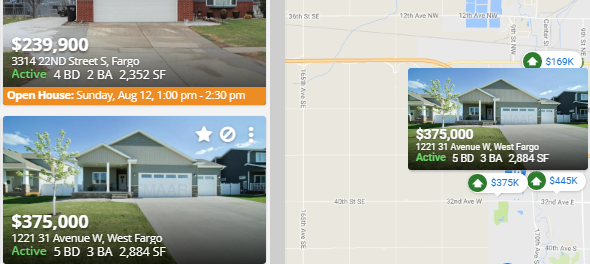
Hovering over a photo on the new Portal will cause the photo to “pop-up” over the property on the map.
Clicking on the photo will take the client to the photo viewer and listing information for that property.
Some considerations before switching to the new Portal:
| ||||||||||||||||||||
|
Now available! August 2018 RPR Webinars RPR has recently provided a list of upcoming webinars for August 2018. The links below will take you to RPR for the specific event for registration. Note that it appears that many of these events have multiple potential dates to register. Residential: Get the Most out of the RPR/zipForm® Partnership Pre-listing Checklist: Use RPR to Nail Your Next Listing Presentation Open House Tips & Tricks from RPR RPR for Residential Investment Analyses Design and Deliver a Successful Buyer Tour With RPR Commercial Webinar Recordings: Introduction to RPR Commercial RPR Mobile™ for Commercial Practitioners Adding Value to Multifamily Investments Through Renovations and Refinancing Broker/Owner Workshops: Introduction to RPR’s Broker Tool Set RPR Overview for Broker/Owners and Managers RPR Data Tool and Market Reports
| ||||||||||||||||||||
|
Realist Downtime: Scheduled Maintenance – Thursday, July 12, 1:00am A Realist update is scheduled for the early morning of Thursday July 12th, 2018. Realist may be intermittently unavailable between 1:00 AM and 5:00 AM during the installation process.
| ||||||||||||||||||||
|
Flexmls Downtime: Scheduled Maintenance – April 30 – 4:30am *** Originally posted 4/26/18 at 5:05AM *** FBS will be performing scheduled maintenance in the early morning hours of Monday, April 30th. The expected window is 4:30am-5:00am while the software is being restarted. This could result in sporadic connectivity issues for some users accessing the Flexmls system. Please note that any such issues should be very short lived.
| ||||||||||||||||||||
|
Flexmls Slowness – Friday, April 20 – 4:30pm FBS identified an issue on that was causing slowness on flexmls have taken action to resolve it. They will continue to monitor the situation.
| ||||||||||||||||||||
|
Realist Downtime: System Maintenance – Saturday, April 14 – 11pm CoreLogic will be performing system maintenance the evening of Saturday, April 14, 2018 during the designated maintenance window from 11:00 PM to 3:00 AM the following morning. Realist may be intermittently unavailable during this maintenance period.
| ||||||||||||||||||||
|
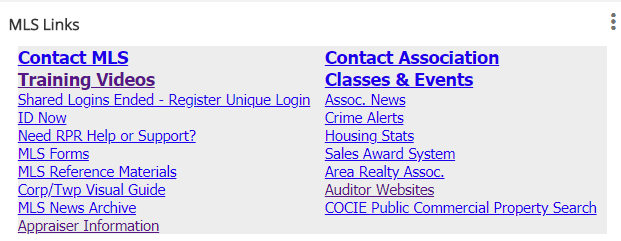
New MLS Training Videos Available Several new MLS training videos specific to the Columbus MLS have been added. These videos are in addition to the full length class videos and others that were already available. To access the “Specific to Columbus” videos, log in to Flexmls and click the Training Videos link in the MLS Links gadget.
New videos include:
| ||||||||||||||||||||
|
Realist Downtime: System Maintenance – March 24, 10pm through March 25, 12pm CoreLogic will be performing system maintenance on Saturday, March 24th, 2018 from 10:00 pm through Sunday at 12:00 pm. Realist will be unavailable during this time.
|